TakeCare
von Carles Mateo
 Linux
System administration / DevOps
apt
Container
Debian
DevOps
Docker
docker compose
Linux
package
patch management
Security
Security updates
sysadmin
Ubuntu
Maintains your Ubuntu or Debian servers and Ubuntu/Debian Containers inside the servers, up to date with the latest apt packages: per-target policies, schedules, service restarts and a terminal UI, and restarts or rebuilds the containers if security/important updates are pushed. In times of critical urgent releases of patches, an AI attacks, it keeps your servers and containers updated and protected fast
TakeCare: your updates, taken care of
Keep your Ubuntu servers, and every Docker container running on them, up to date. Automatically, safely, from one terminal screen.
Security updates don't wait. On a real server, though, "run apt upgrade" is never just one command. There's the host, a dozen containers, Compose projects, services that need a restart, and the question nobody wants to answer at 4 a.m.: does this box need a reboot?
TakeCare handles it for you. It finds every container on your server and checks the host and each container for new packages on the schedule you choose. Then it applies the policy you set, from "just tell me" to "install tonight and reboot if Ubuntu says so". All from a fast text interface that works over any SSH session.
▶ https://youtu.be/4S1K9IVgpa0
Why TakeCare
- Urgent security updates cannot wait. So you need tools that protect your server as soon as the new packages appear.
- You don't want to update all your servers and the projects inside containers manually
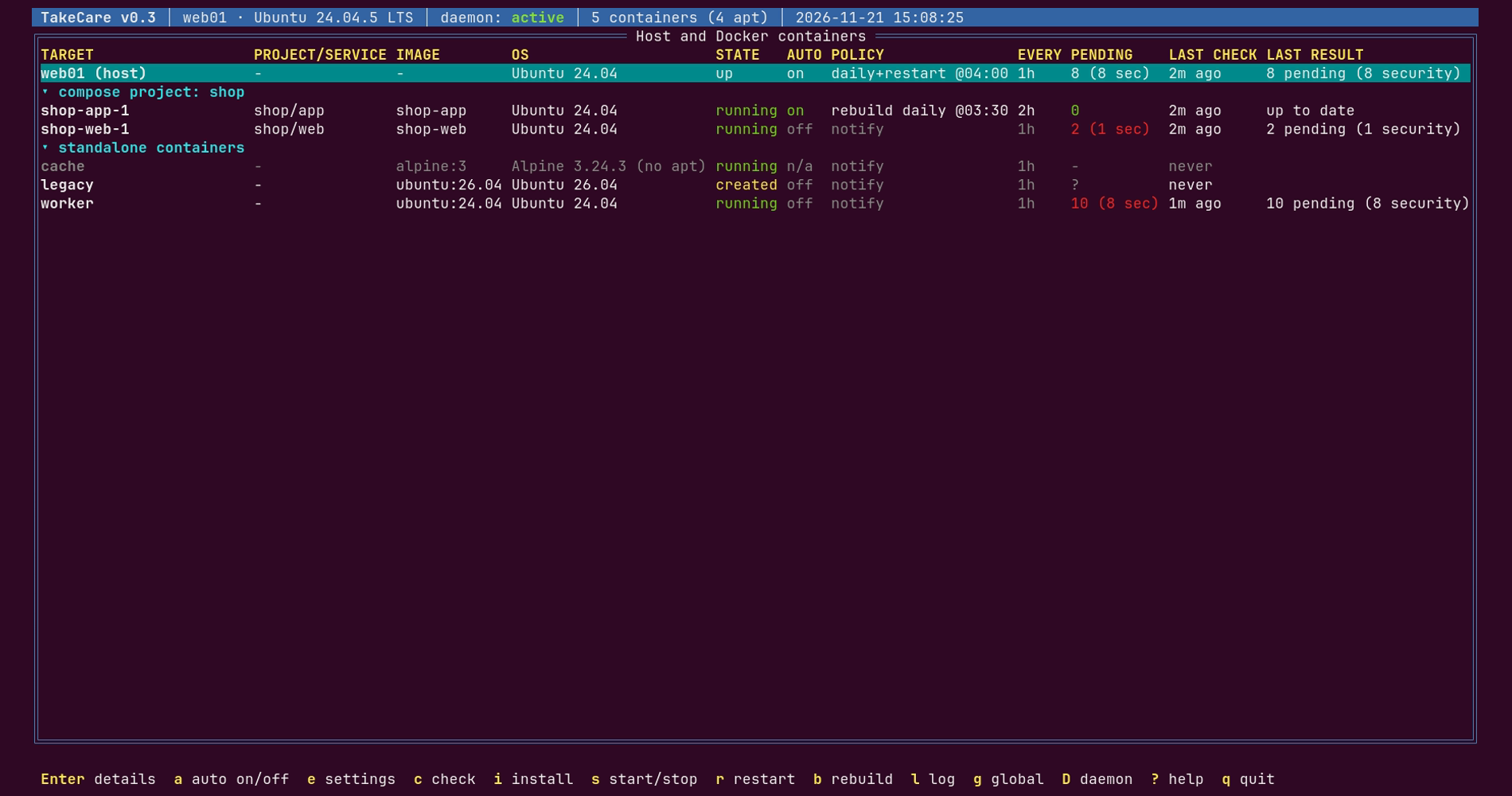
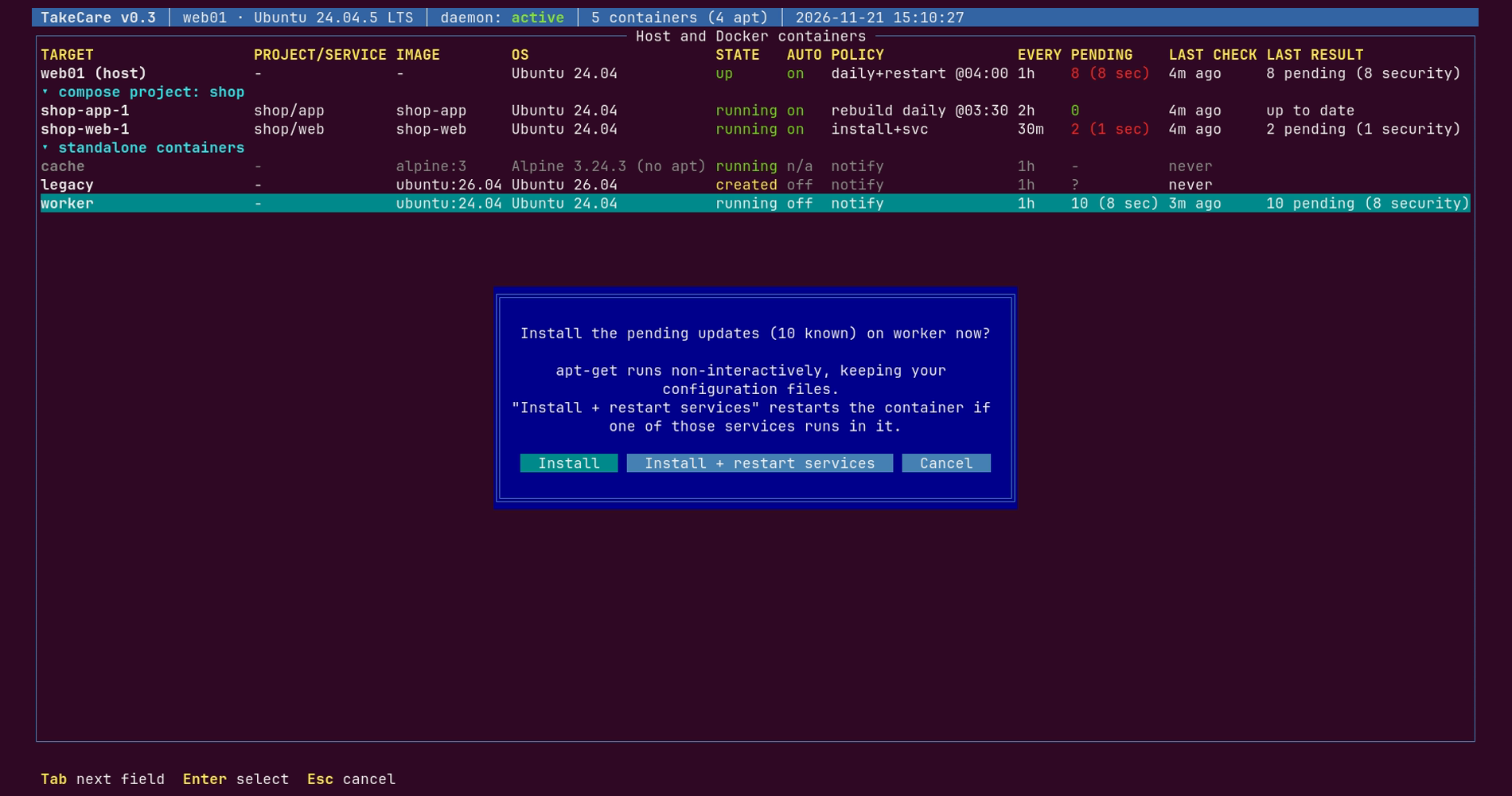
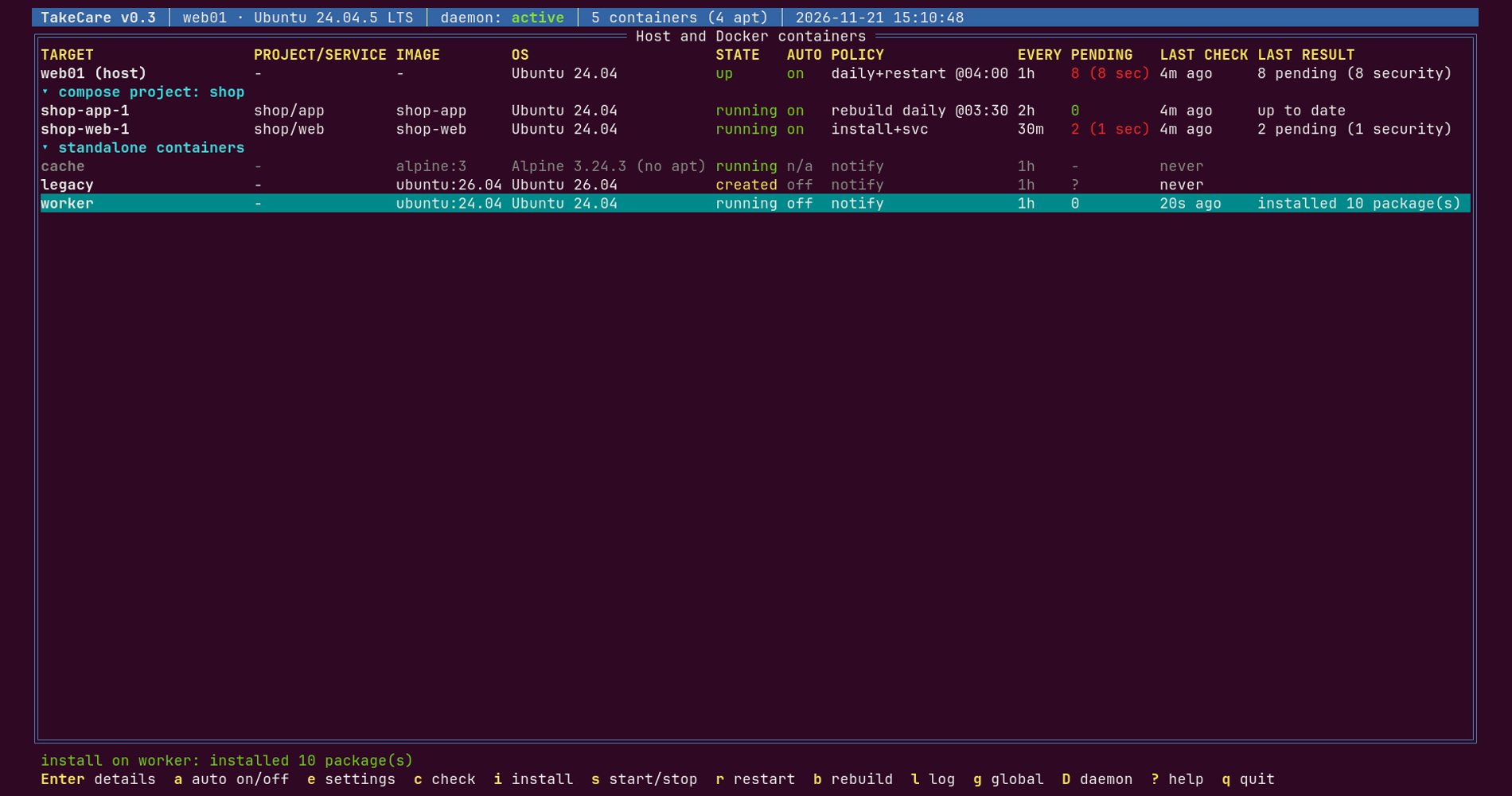
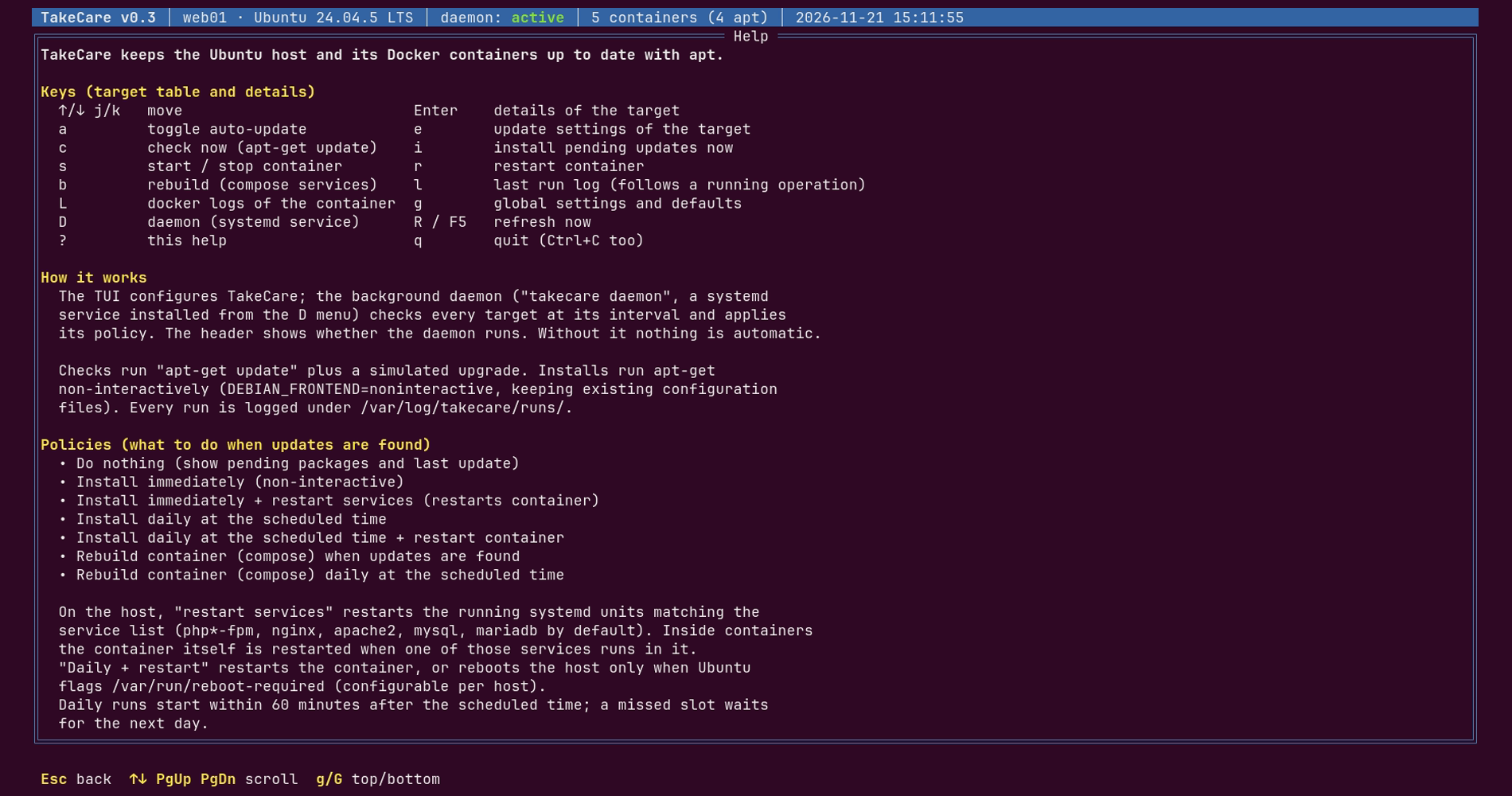
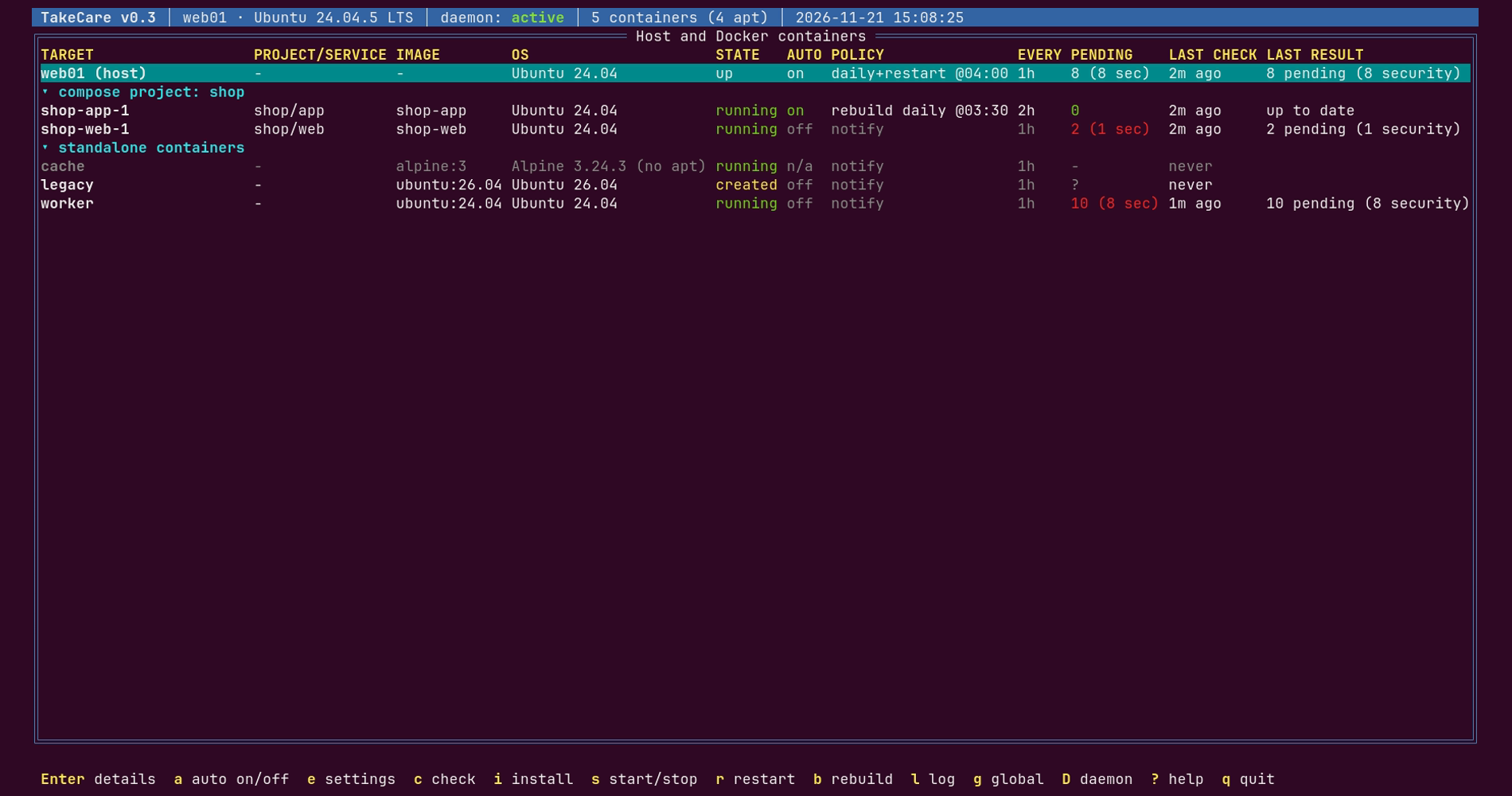
- One screen for the whole server. The host and all its containers, grouped by Docker Compose project, with pending updates and security fixes at a glance.
- Your rules, per target. For each container, and for the host, choose how often to check and what to do when updates arrive.- Hands-off, not out of control. A background service applies your policies around the clock, and every run is logged.
- Built not to break things. Installs run non-interactively and keep your configuration files. An upgrade is never interrupted and a reboot never comes as a surprise.
- Ready in a minute. One static binary. No agents, no database, no cloud account.
Features
Discover everything
TakeCare scans Docker for containers, running or stopped, and detects which ones run Ubuntu or Debian. Containers from the same Compose project are grouped together. Containers without apt are listed too, clearly marked.
See what's pending
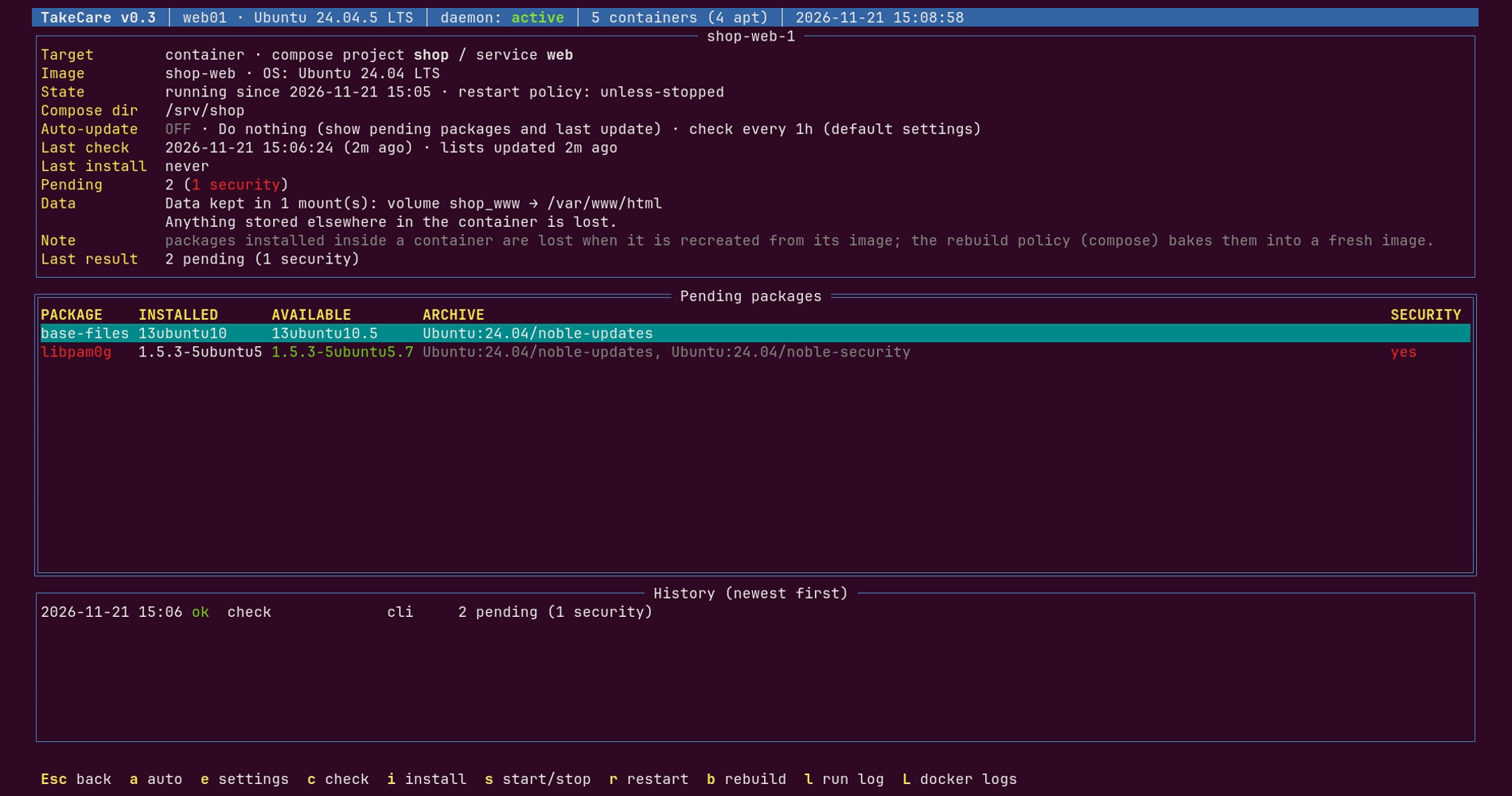
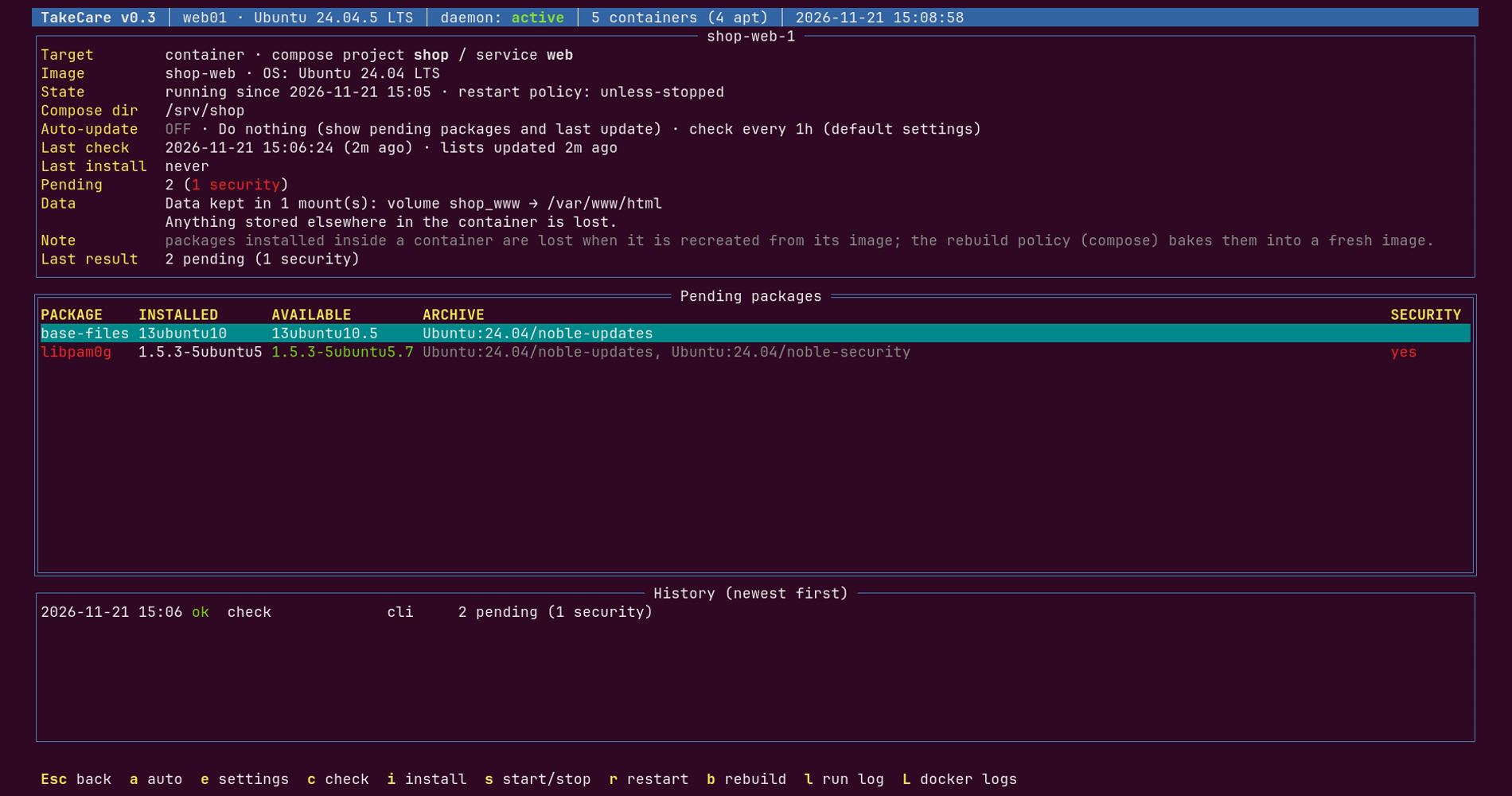
Every check runs `apt-get update` and a simulated upgrade, so nothing changes until you decide. For each target, the details view shows:
- every pending package, with its installed and available version;
- security updates, highlighted in red;
- the container's data volumes;
- the history of every run.
Decide what happens
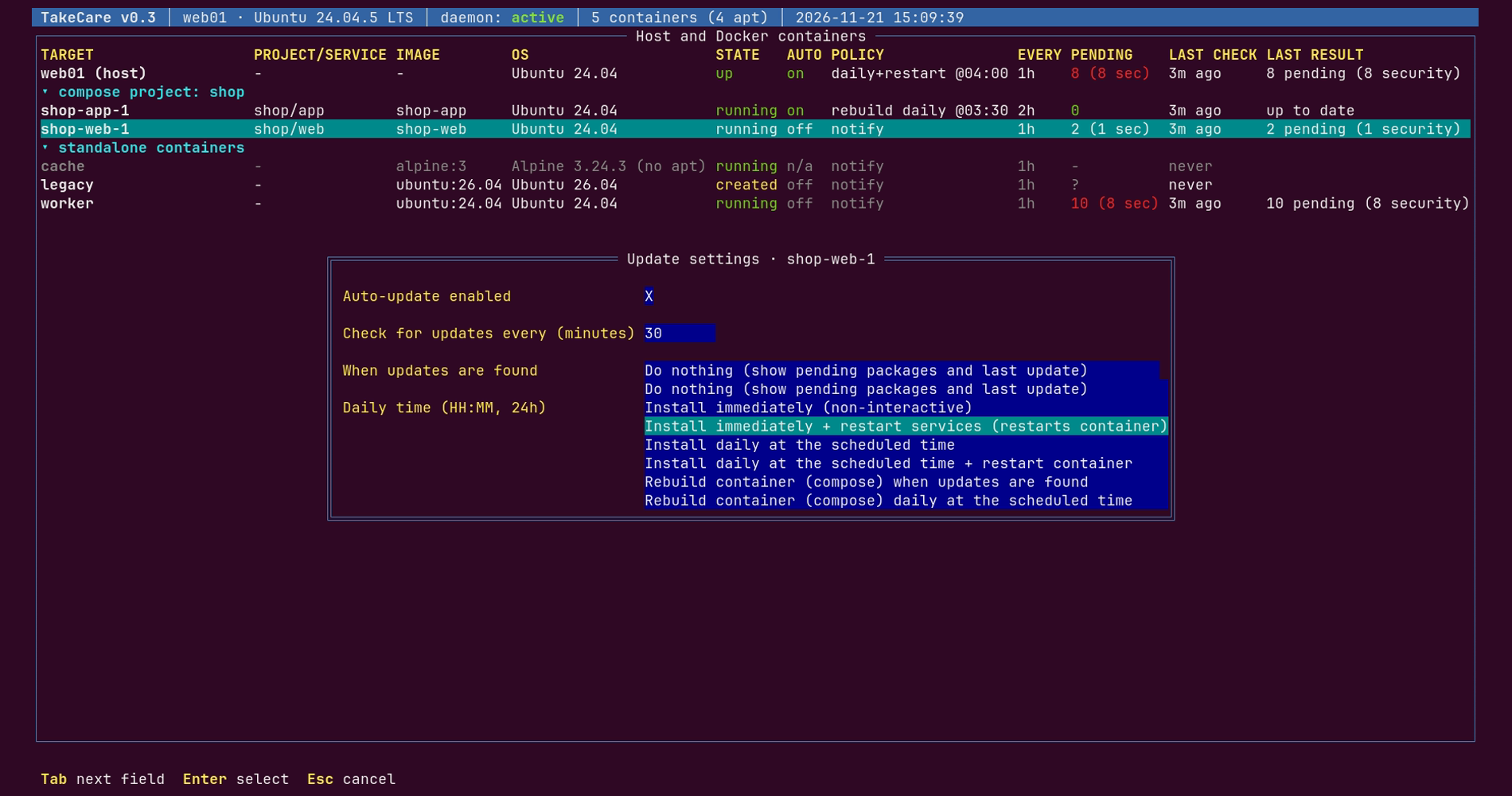
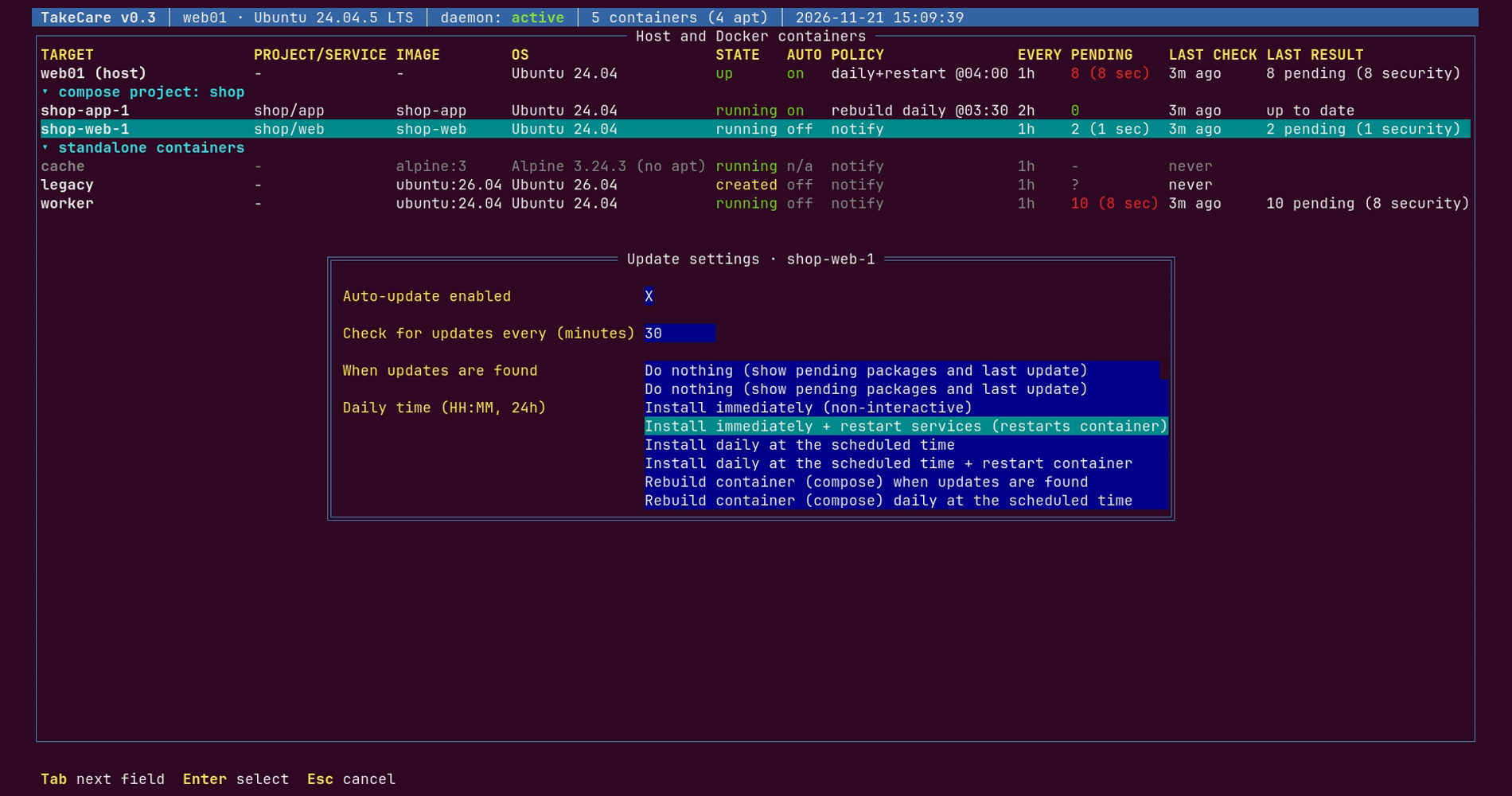
Pick one policy per target:
- Notify only. Show pending packages and the last update.
- Install immediately. Non-interactive, keeping your configuration files.
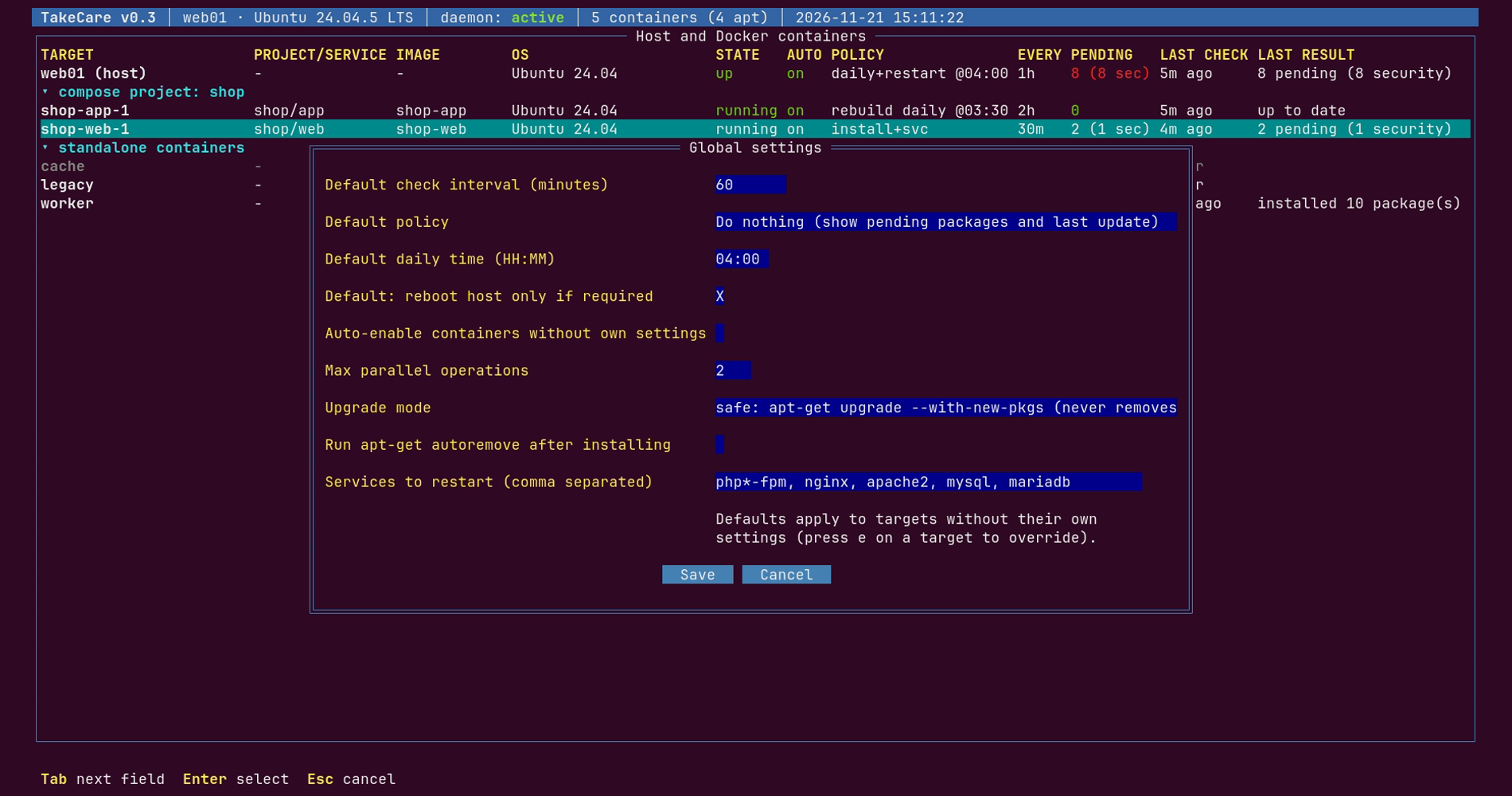
- Install and restart services. Restart PHP-FPM, Nginx, MySQL, MariaDB and Apache afterwards; containers running them are restarted.
- Install daily at a set time. Inside your maintenance window.
- Install daily and restart. Restart the container. The host is rebooted only when Ubuntu reports that a reboot is required (or always, if you prefer).
- Rebuild Compose containers. Immediately or daily, from fresh base images, keeping your volumes.
You choose how often checks run, in minutes.
Act with one key
From the list, a single key checks now, installs now, starts, stops or restarts a container, rebuilds a Compose service or shows its logs. Installs, stops, restarts and rebuilds always ask first. Before a rebuild, TakeCare also warns you when a container has no volumes, so your data isn't lost.
Works while you sleep
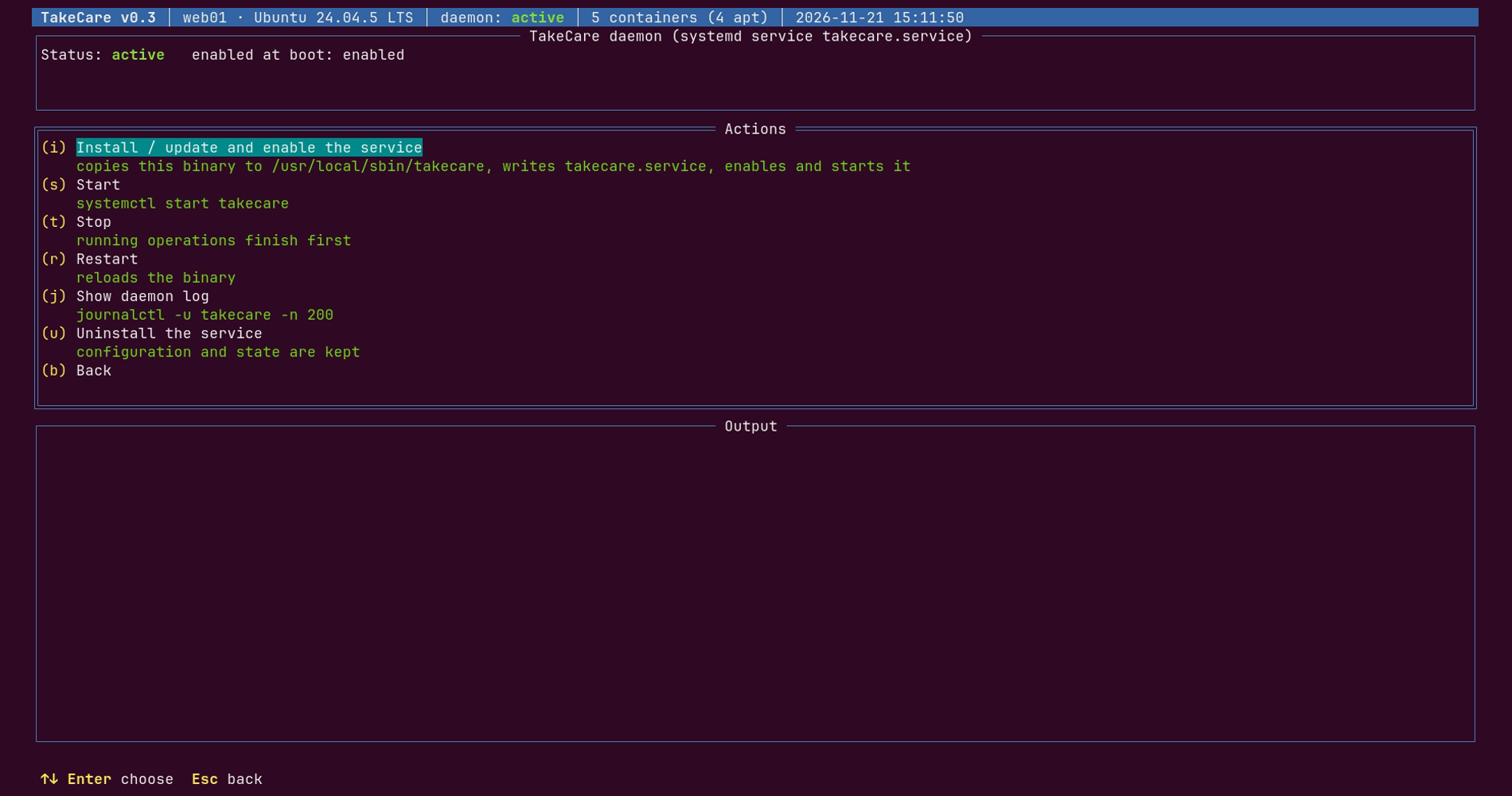
Install the background service from the interface or with one command. It applies your policies even when nobody is logged in, and it starts again after a reboot. The top of the screen always shows whether it is running.
Script friendly
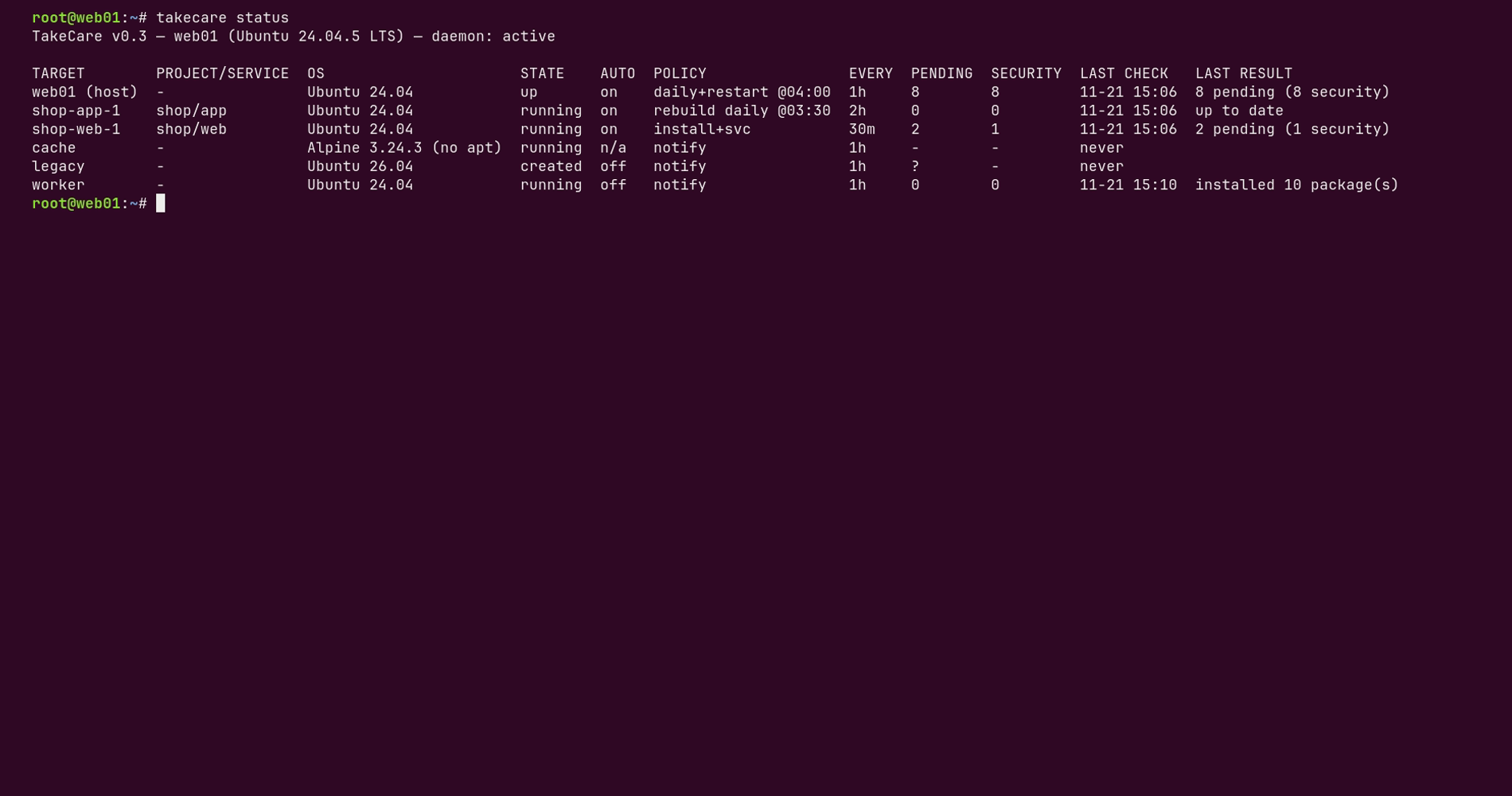
`takecare status`, `takecare check` and `takecare install` bring the same features to your scripts and cron jobs.
Safe by design
- No interrupted upgrades. TakeCare never kills apt or dpkg: not when you quit, not when the service stops.
- No collisions. The interface, the command line and the service share a lock per target, so two operations never run on the same host or container at once.
- No surprise reboots. Daily jobs start only within one hour after the time you chose. If the server was off, they wait until the next day. Reboots are announced one minute ahead.
- Self-healing schedules. A daily run that fails (no network, for example) is retried every 10 minutes within its window. A failed install is retried after 6 hours.
- No rebuild loops. If rebuilding a container cannot clear its pending updates, TakeCare stops rebuilding it until something changes.
- Full audit trail. Every operation writes a log you can open from the interface.
Up and running in a minute
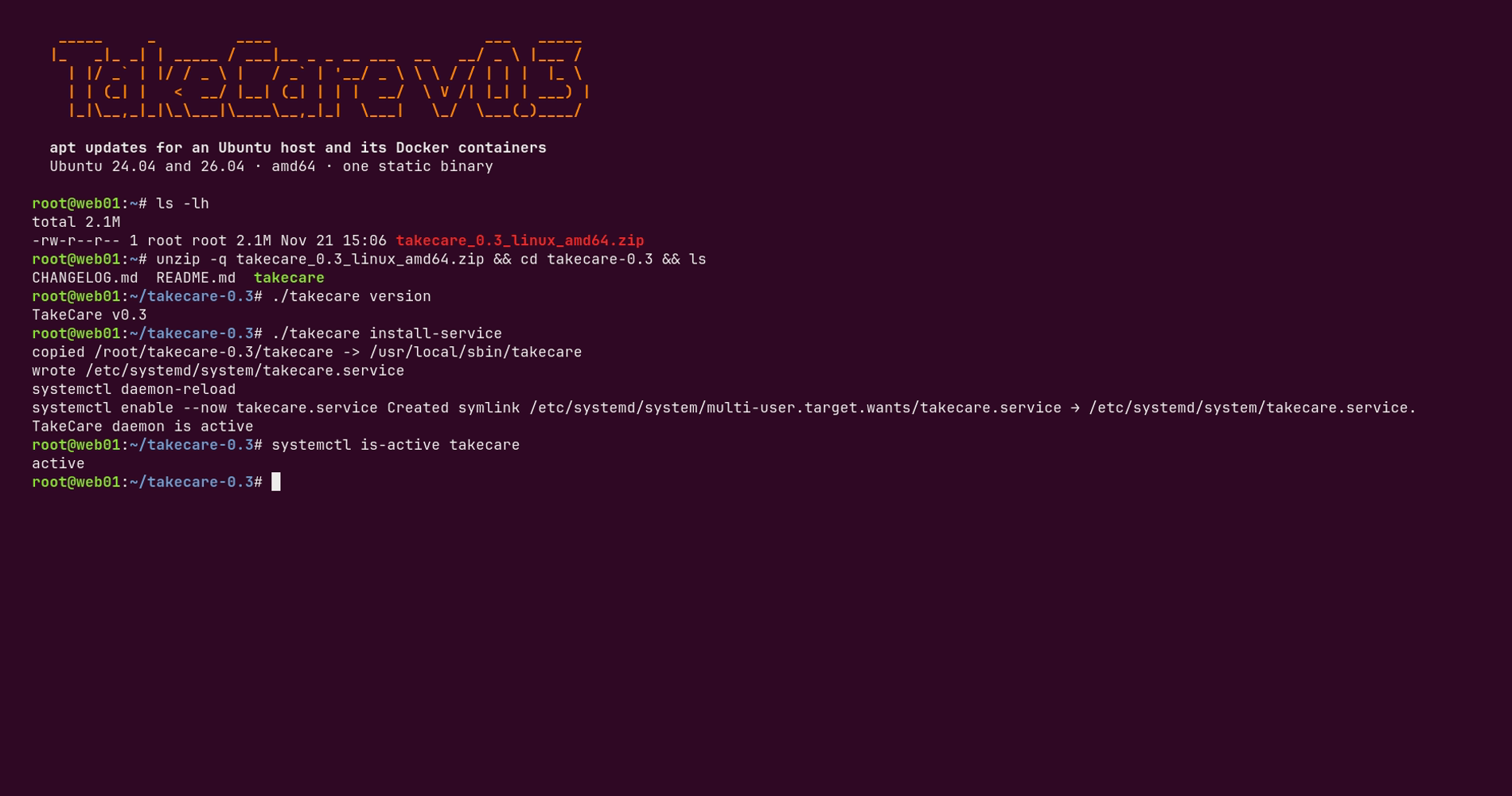
1. Download the zip and unzip it on your Ubuntu server.
2. Install the background service: `sudo ./takecare install-service`
3. Open TakeCare with `sudo takecare`, choose your policies, and you're done.
Technical details
Operating systems: Ubuntu 24.04 LTS and Ubuntu 26.04 LTS
Architecture: x86-64 (Intel / AMD 64-bit)
Download: ZIP with one static binary (about 5 MB), README and changelog
Requirements: Root access. Docker Engine for container features (Docker Compose for rebuilds). systemd for the background service.
Managed containers: Ubuntu and Debian based (apt)
Interface: Terminal UI (works over SSH, down to 80×24) and command line
Your data: Configuration in `/etc/takecare`, logs in `/var/log/takecare`. Everything stays on your server.
Frequently asked questions
Do I need Docker?
No. Without Docker, TakeCare keeps the host up to date. With Docker, it manages your containers too.
Will it reboot my server?
Only if you choose the "install daily and reboot" policy for the host. By default, it reboots only when Ubuntu reports that a reboot is required, at the time you set.
What happens to updates when a container is recreated from its image?
Packages installed inside a container live in its writable layer, so they are lost when it is recreated. For Compose services, the rebuild policy puts the updates into a fresh image instead.
Does it change my configuration files?
No. Upgrades run non-interactively and keep your existing configuration files.
Does it conflict with unattended-upgrades?
TakeCare tells you when unattended-upgrades is also active on the host, so you can decide which one is in charge.
Does it send my data anywhere?
No. TakeCare has no telemetry and needs no account. It only contacts your package mirrors and, for rebuilds, your container registries.
Does takecare install anything in the Docker Containers?
No. TakeCare runs only on the host, and nothing is installed or copied into your containers.
The binary exists only on the host (/usr/local/sbin/takecare after install-service), along with its config, state and logs. TakeCare reaches each container from the outside through the Docker CLI.
Your updates, taken care of. Download TakeCare and give your servers the maintenance routine they deserve.
Anhänge
- Takecare v.0.4 Ubuntu/Debian 64bit (2.1 MB)
100€
Lizenzinformationen
- Lizenztyp Kommerziell
- Download künftiger Versionen/Updates Sechs Monate
- Zahlungshäufigkeit der Lizenz Einmalzahlung